
Reverse Lookup+ : Phone Search
Nomadic RatioCommunication
3.7348.00 Reviews
- Version
- 3.6.6.7
- Installs
- 10.00K
- Age Rating
- Everyone
Screenshots
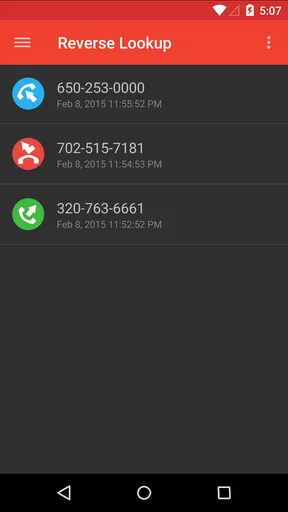
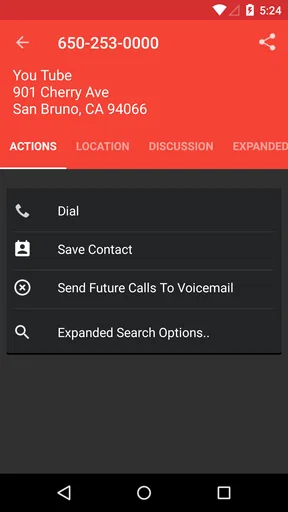
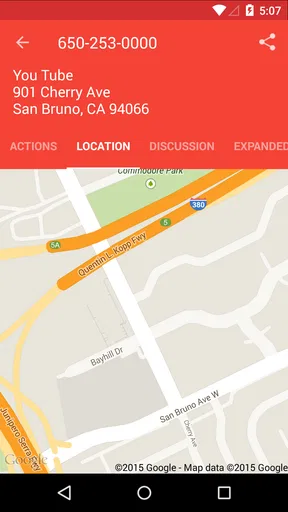
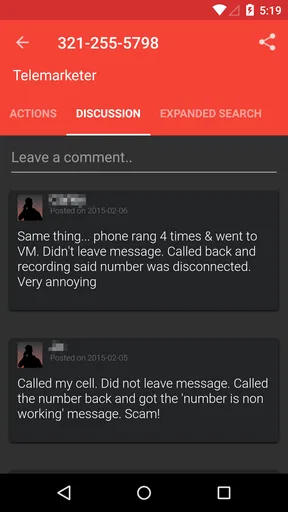
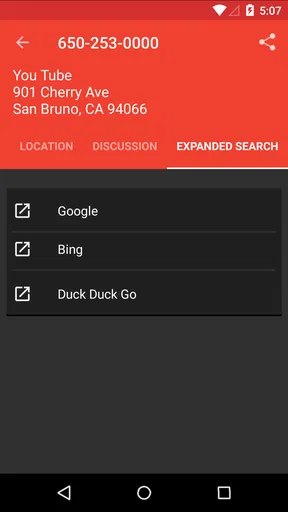
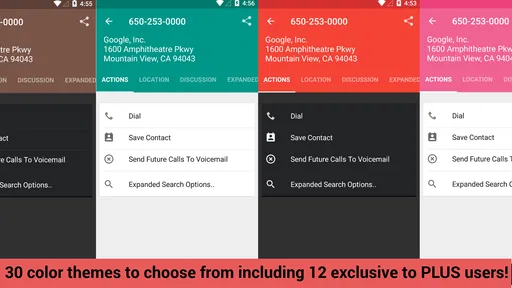
Our Review of Reverse Lookup+ : Phone Search
 Analysis by Appyee
When an unfamiliar number appears while I’m in the middle of something, I want a quick way to decide whether to answer, call back, or leave it alone. Reverse Lookup+ : Phone Search is built for that small but frequent decision: it helps identify callers and block numbers I would rather not hear from again. That makes it more of a practical communication utility than a full contact-management app. Its usefulness depends on the moment, though: a lookup needs a connection to return information, and an unknown number is not always one a search can identify.
When a lookup depends on the connection
The app’s central task is looking up a phone number, so the experience is naturally tied to connectivity. If a call comes in while I have a weak signal or no internet access, I would not count on getting a useful result right then. A sensible routine is to note the number and search when the connection is stable, rather than letting a failed attempt decide whether the caller is legitimate.
That distinction matters because caller identification is not the same as certainty. A result can give me a lead, but I still need to weigh it against context: was I expecting a delivery, a callback, or a call from a service provider? I would treat a match as a clue, not proof of who is speaking. If the caller claims to represent a bank or another organization, I would use a trusted contact method to verify the claim instead of relying on a lookup alone.
Useful in the small gaps of a mobile day
Reverse lookup makes the most sense in brief, ordinary moments: checking a missed call before a meeting, screening an unfamiliar number during a commute, or deciding whether to return a call after getting home. On a phone, that convenience is the point. I can make a quick search without turning caller screening into a separate research project.
A realistic example is a number that calls while I am shopping. I might not want to answer in a noisy aisle, but I also do not want to ignore a call I am expecting. I can let it go to voicemail, check the number later, and decide whether to respond. That sequence is calmer than answering every unknown call or blocking a number on impulse.
For people who receive repeated calls from unfamiliar numbers, the blocking function can be useful after they have made a considered decision. I would not block a number just because its identity is unclear: legitimate callers may use numbers I do not recognize, and a mistaken block can create friction later. The better workflow is lookup first, context second, block only when the pattern gives me a good reason.
What to do when results disappoint
Not every number will produce a clear identification. New, private, or otherwise hard-to-match numbers can leave a lookup inconclusive, and caller details can change. If the first search does not settle the question, I would avoid repeatedly refreshing it as though another attempt guarantees a better answer. Checking voicemail, waiting for a text, or calling an organization through a number I already trust may be more useful.
There is also a practical recovery step when connectivity is the problem: save the number or keep it in the call history, then try again later when the phone has a reliable connection. That is less frustrating than making an urgent decision based on a half-loaded or uncertain result. The app can help with screening, but it cannot make every unknown call easy to classify.
Choosing how much to rely on it
Compared with simply searching a number in a web browser, a dedicated lookup app is more convenient when I want the task centered on caller identification and blocking. The trade-off is that a lookup app is still one source of information, not a universal directory. A phone’s built-in call controls may be enough for someone who only wants to silence or block calls, while a browser search may suit someone who prefers to cross-check results manually. Reverse Lookup+ sits between those approaches: it is for people who want a focused tool to investigate a number before deciding what to do.
I would also keep my expectations modest about coverage. A caller may be unlisted, use a number that has changed hands, or appear under information that does not tell the whole story. If a result conflicts with what I know, I would give the real-world context more weight. And if I rarely receive unknown calls, a paid specialist tool may not earn a place in my routine; the built-in options on my phone could be sufficient.
Getting Started with Reverse Lookup+
Diving into the app is a breeze. Once you download it from the App Store or Google Play, the setup is straightforward. You don't need a degree in rocket science to figure it out, which is always a win in my book. The interface is clean and intuitive, making it easy to navigate, even for those who might not be so tech-savvy.
The Features That Stand Out
One of the standout features of Reverse Lookup+ : Phone Search is its ability to provide detailed information about the caller. Whether it's a pesky telemarketer or a long-lost friend, the app digs deep into its database to give you the 411 on who's on the other end of the line.
Another cool feature is the integration with social media. If the number is linked to any social media profiles, the app will pull up that info too. It's like having a mini-investigator right in your pocket!
Performance and Usability
In terms of performance, the app is pretty snappy. It quickly processes searches and displays results without making you wait forever. I've tried out a few numbers, and the accuracy was spot on for most. Of course, there might be some numbers that slip through the cracks, but that's the nature of the game.
Usability-wise, the app scores high. The developers have done a great job at ensuring the app is user-friendly. Even if you're not a tech guru, you'll find yourself navigating through the app like a pro in no time.
Is It Worth It?
Now, the million-dollar question: is Reverse Lookup+ : Phone Search worth downloading? If you're tired of staring at your phone screen wondering who's calling, then the answer is a resounding yes. It's a handy tool for anyone who values their privacy and wants to avoid unnecessary calls.
However, it's important to note that while the app does a great job, it's not infallible. There will always be new numbers popping up, and no database can be 100% comprehensive. But for the most part, it does exactly what it promises.
Final Thoughts
At the end of the day, Reverse Lookup+ : Phone Search is a solid app that can make your life a little bit easier. It's like having a personal assistant that’s always ready to help you out with those unknown numbers. The app is free to download, with some in-app purchases for additional features, but even the free version is pretty impressive.
If you've been on the fence about trying out a reverse lookup tool, give this one a shot. It's user-friendly, efficient, and might just save you from picking up another spam call. So go ahead, download it, and let the detective work begin!
Price, compatibility, and who it suits
One important practical detail changes the recommendation: this is a paid app, priced at $2.99, rather than a free download with optional purchases. I would judge that cost by how often unknown callers interrupt you. If I regularly screen unfamiliar numbers, paying once for a dedicated tool may feel worthwhile; if I only get an odd mystery call now and then, my phone’s existing call history and blocking controls may be enough.
It is developed by Nomadic Ratio, and the current release is version 3.6.6.7. It runs on Android 5.0 or later and is rated for Everyone. Those details make it accessible to a broad range of Android users, but I would still check that my device meets the minimum requirement before buying. The app has a 3.7 average from around 847 ratings, with 10K+ installs. I read that as evidence of a real, established niche rather than a tool everyone needs: the rating encourages a measured trial, not blind confidence.
A more careful caller-screening routine
One useful habit is to separate identification from action. I would first search the number, then consider whether the result fits the timing and any message left behind. Only after that would I block it. This avoids turning a single vague match into a permanent decision, especially when an unfamiliar caller could be a clinic, repair service, school, or someone returning a call from a different line.
A second tip is to use the app as a filter for attention, not as a reason to share information. If a lookup suggests a familiar company, I still would not give personal or payment details to an incoming caller solely on that basis. I would hang up and contact the company using a number from a source I already trust. That extra step may seem cautious, but reverse lookup is best at helping me decide what deserves further checking, not replacing verification.
The social-profile angle can also be easy to overread. A profile associated with a number may help me recognize a person or business, but it does not automatically establish that the person currently calling controls that number. Numbers can be reassigned, and profile information may be incomplete or out of date. I find the feature most useful as a context clue rather than a verdict.
Where alternatives make more sense
If my main problem is repeated unwanted calls and I do not care who is behind them, built-in call screening or blocking may be the simpler route. Those controls can reduce interruptions without asking me to investigate each number. If the call could be important, though, a lookup-first approach is more measured than blocking every caller outside my contacts.
Searching manually in a browser is another reasonable alternative, particularly when I want to compare several sources or investigate a business in more depth. The app’s advantage is focus and convenience; its limitation is that no single lookup should be treated as complete. I would choose between them based on the decision in front of me: quick triage favors the app, while a consequential question about identity deserves independent checking.
My connectivity verdict
For me, the strongest case for this app is not that it can identify every caller, but that it can make the pause between a missed call and a response more informed. Its connection-dependent searches fit best when I have a moment to check a number and enough context to judge the result. When the network is unreliable, I can defer the lookup; when the caller’s claim matters, I can verify through a trusted channel; and when unknown calls are rare, I can skip a paid tool without losing much.
Overall, Reverse Lookup+ is a focused option for Android users who routinely need to investigate unfamiliar calls and are comfortable treating results as helpful leads rather than guarantees. I would recommend it most to people who value a deliberate screening workflow and least to anyone expecting perfect identification, instant answers in every connection condition, or a free service. Used with a little caution, it can make unknown calls less disruptive without asking me to hand over my judgment to an app.
Verdict
Strengths of Reverse Lookup+ : Phone Search
- User-friendly interface, easy navigation.
- Accurate caller identification feature.
- Fast search results for unknown numbers.
- Supports multiple languages for wider use.
- Minimal ads for a smooth experience.
Limitations of Reverse Lookup+ : Phone Search
- Limited free searches per day.
- Requires stable internet connection.
- No integration with some social media apps.
- Occasional lag on older devices.
- Premium features behind a paywall.
Similar Picks in This Category
View All
Google Messages
Google LLC4.6

Gmail
Google LLC4.1

Google Meet
Google LLC4.4

Google Chrome
Google LLC4.1

WhatsApp Messenger
WhatsApp LLC4.6

Carrier Services
Google LLC4.2
Frequently Asked Questions
What is Reverse Lookup+ and how does it work?
Reverse Lookup+ is an app designed to identify unknown phone numbers by retrieving associated information from public records and directories. Users can input a phone number to uncover details such as the caller's name, address, and other contact information. The app leverages a vast database to provide accurate results quickly.
Is Reverse Lookup+ free to use or are there any in-app purchases?
Reverse Lookup+ offers both free and premium features. Basic searches are often free, but more detailed information or unlimited searches may require a subscription or one-time purchase. Users should review the in-app purchase options to understand the costs and benefits of upgrading to a premium version.
How accurate is the information provided by Reverse Lookup+?
The app strives for high accuracy by using comprehensive public records and databases. However, the accuracy can vary based on the availability and quality of the data. Users should verify critical information through multiple sources when possible. Updates and feedback help improve the reliability of the app over time.
Is my personal information safe when using Reverse Lookup+?
Reverse Lookup+ prioritizes user privacy and data security. The app typically doesn't require personal details to perform a search. However, it's important to review the app's privacy policy to understand how user data is handled, stored, and protected against unauthorized access.
Can I use Reverse Lookup+ internationally?
While Reverse Lookup+ primarily focuses on numbers within specific countries, some features may work internationally depending on the databases accessed. Users should check the app's settings and support documentation to understand its international capabilities and limitations, as coverage may vary by region.
